Origins, and starting off
Background
While watching Ado’s music video for One Piece Film Red: New Genesis, I noticed that the video incorporated pixelated displays.


Because I absolutely needed to see the animation on a cute pixel screen, I came across a cute LED display known as the Tidbyt.

What a cute display of train times!
Unfortunately, the price point was a rather exorbitant USD 199… So, naturally, I asked, how the hell do you replicate this? My first few searches for an LED matrix display led to devices powered by a Raspberry Pi, which have been the victim of scalping, and a shortage of silicon chips, leading to some ridiculous prices.
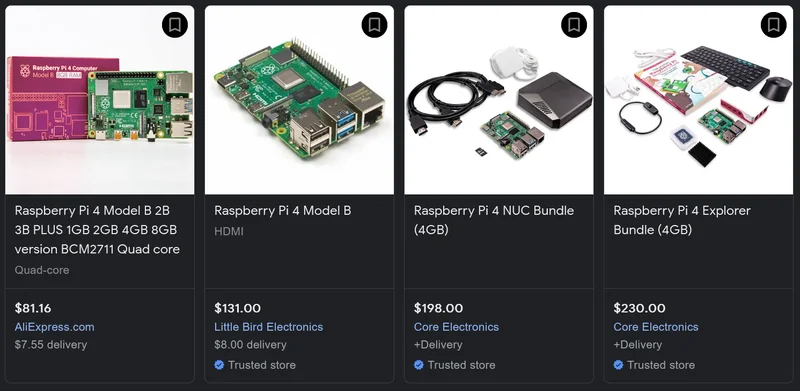
So much for hobby price computers…
But we’ll return to our substitute. In the meantime, let’s review the Tidbyt.
How Does the Tidbyt Work?
During our research on the Tidbyt, we discovered how it operates under the hood. The display is connected to a microcontroller, specifically an ESP32. This means that the frames of animations are not actually rendered on the device itself. Instead, we deduced that a server renders the frames of the selected applet and then sends them to the Tidbyt. The Tidbyt team has designed Pixlet, a software used for rendering pixel animations. You can read more about this process below.
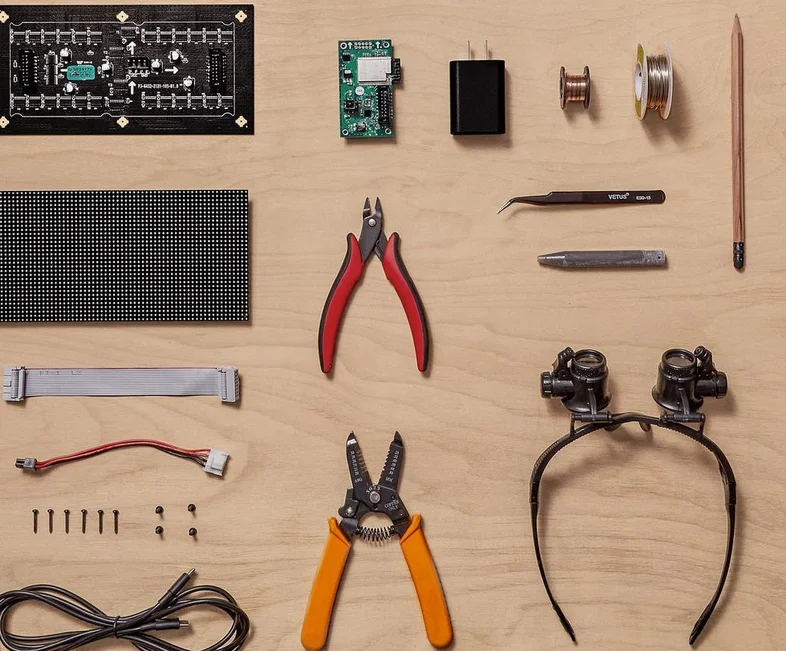
A teardown of the Tidbyt.
Pixlet is an application that renders applets written in Starlark, to pixel displays. The output is a GIF/WebP which could then be sent to the Tidbyt. However, there is no restriction on what display you can render it on, aside from it being 32 by 64 pixels. This meant that we could leverage any applets written for Pixlet and use them for our own devices. Neat!
Gathering ingredients
Partners in stinginess
Since this was a hardware project, I enlisted the partnership of Shin, an engineering and design student. Many of the components, such as the LED display were readily found cheap on Alibaba.
The search for the SBC substitute
A Raspberry Pi is commonly referred to as a single-board computer (SBC) since it contains all the components required to run a computer operating system. However, we wanted to minimize the costs for this project as a proof point, so we were forced to look for alternatives.

There are desktop computers that are cheaper than this…
Note, that at this point in time, we were looking for a raspberry pi, or an alternative with 40 pins, as there was a bonnet that could be used to mount the device to the display. It’s worth noting a few things though:
- Raspberry Pi is more closed off than you would think, its bootloader is closed off
- Even if you found another SBC with 40 pins, they will never correspond to the same things the Raspberry Pi boards do, meaning the RGB bonnet was (mostly) worthless
- Supposing you somehow overcame that obstacle (rewiring?), all the software written for LED displays was written for the Raspberry Pi line, so good luck getting your random clone from Shenzen to work…
And so, our goose chase for this phantom SBC which we couldn’t even be sure if we could program once we got it. Our first candidate was the hilariously named Banana Pi M2.
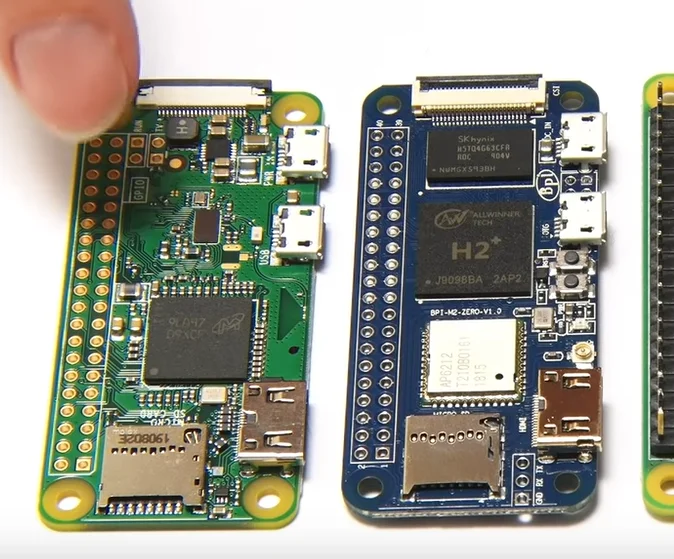
Now, the Banana had some heating issues, though that was definitely the least of our concerns. At this time, a cheap little SBC called the Radxa Zero came to our attention, for an insanely affordable USD 30. It’s also important to note that this was a quad-core SBC, which was on par with the Raspberry Pi 4, for a quarter of the price, and could go up to 4GB RAM (Starting at 512 Mb). We were dealing with one beast of a board. So, we put in an order for all the parts.

As far as major costs were concerned, we were well under $100 per potential product. So, we waited a few weeks for our products to come through.
Terrible Ideas I
The engineering process always consists of terrible ideas that somehow made it to our brains.

Cool Ideas I
On the other hand, we also discovered a variety of interesting ideas, many of which were made accessible via Pixlet. For instance, a transport display for the Melbourne public transport system, similar to the existing ones:
Not a huge fan of the official MTA app, so I made my own
We found a website that also creates mockups of the PIDs found in Melbourne train stations, which we could consider a baseline for our task.

Another idea we had was having events trigger on google calendar events. This project creates coffee automatically at certain times, and it would be very interesting to have the display be programmed in advance.