Introduction
You may have seen the unit graph visualisations on my website and wondered what they mean or how I came to create them. The Monash Unit Graph visualises all ~5200 units offered at Monash University across all campuses. But how did I come to collect all this data? This piece will outline the format of the Monash handbook, how to scrape the handbook, how to collect requisites, and how to put all the information together.
Inspirations
The idea for scraping the Monash Handbook comes from several places, but specifically, representing course requisites as a graph came from the Leetcode Problem: Course Schedule, where you do a topological sort on the dependency graph to determine if all the courses can be finished. From this simple problem, the idea for automated course planning would arise naturally, adding complexity in the form of different teaching periods, more involved requisites like credit points, and theoretically optimising the time elapsed for a course. A network of units is also a fascinating visualisation. My inspiration for the unit graph also draws from the MIT OCW curriculum network, which organises units by the department that runs them, connects units by prerequisites, providing an idea of where a unit may lead you after it’s completed.
CSESOC also has a comprehensive course planner named Circles that features a detailed handbook, term planner, and progression checker. It is student-maintained, and the ability to find units you can do after taking a set of units is beneficial for deciding what you should study for an elective.
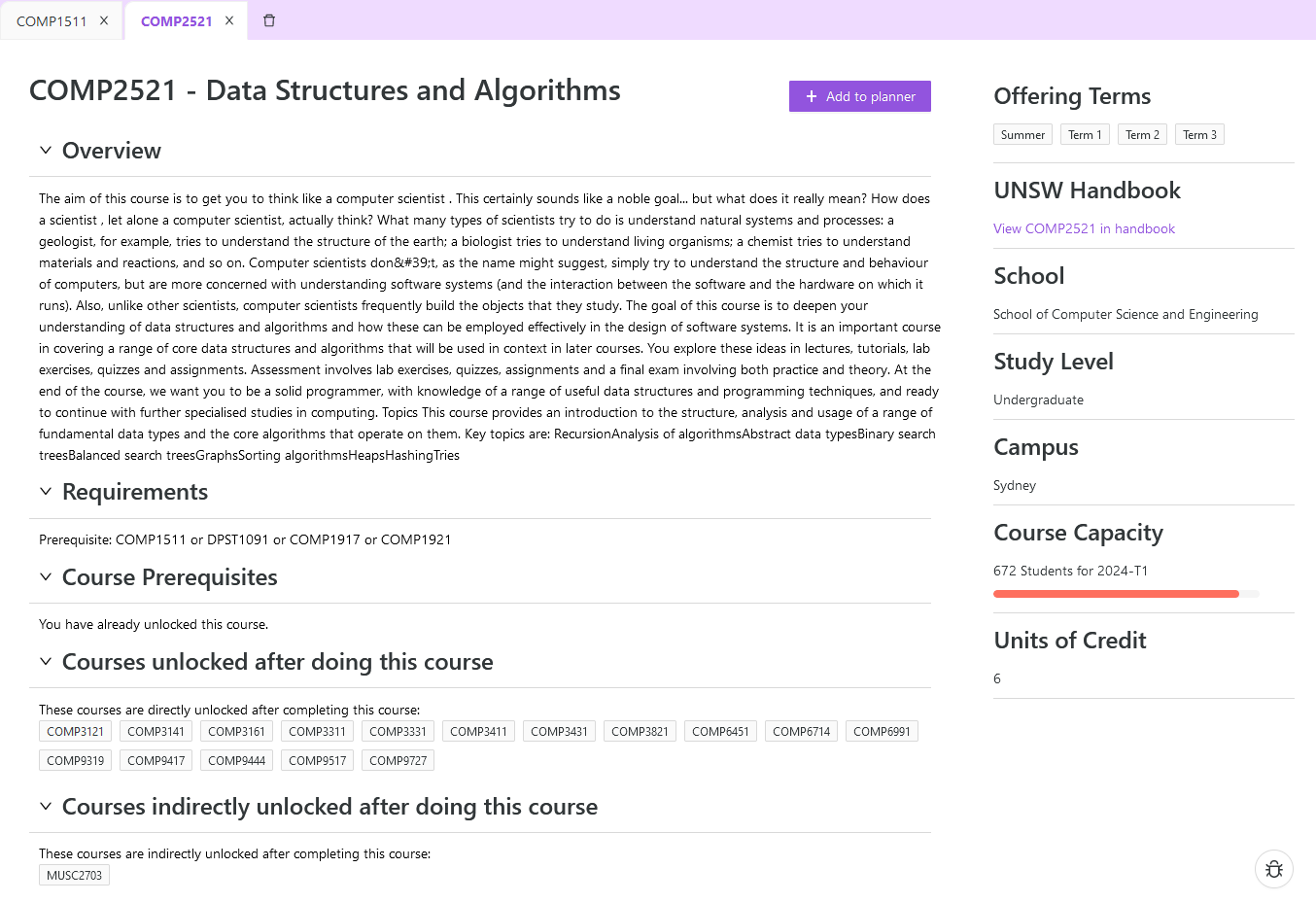
Very useful! Very friendly!
The State of the Monash Handbook
And so, that brings us to the pitiful state of the Monash Handbook. Some units have clearly defined requisites that have actual container boxes, such as MTH2032, while other units are an absolute nightmare, like FIT3047 with the fantastic enrolment rule description you see below.
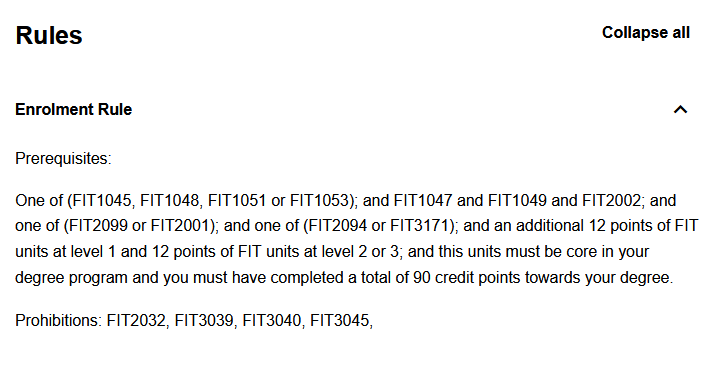
It’s impossible to turn these text descriptions into a list of rules without relying on a GPT-like language model. We’ll grab requisites in a bit, but there’s a trove of valuable information on a handbook entry. For instance, the student contribution amount (SCA) band is listed, which lets you determine the price of a unit. Why Monash doesn’t display their prices like UNSW does is beyond me, but I’ve found that some students get surprised that units like FIT2002 costs the same as a commerce unit does typically, which is not ideal. The unit offerings are also listed, which include the teaching period and semester of the unit, learning outcomes, and assessments.
Scraping the Handbook (old version)
For reference, I had planned to write this article at the start of the year, but I got busy. During this year, Monash updated their handbook and broke the API I used for scraping, making it much harder. Previous work on scraping can be found at monashcoding/TheBetterHandbookAPI.
Monash uses a system called CourseLoop, which is a curriculum management system. UNSW, Macquarie, La Trobe and other Australian universities also use this system. Previously, you could POST the link https://handbook.monash.edu/api/es/search with a query that looked something like this:
json
You could hit the endpoint once for all 5200 Monash units and get all the information in one go. You could also query the UNSW handbook with an identical query and get Monash units from the UNSW Handbook. From here, you can scrape out the details on a page and then serve it as you see fit.
Scraping the Handbook (new version)
Due to the change in the API for the Monash Handbook site, we can no longer POST the previously mentioned endpoint. When searching for a unit, only the unit name is returned, and looking at the unit entry for a page doesn’t show where the data comes from since JS scripts are used to render the page. Nonetheless, by switching the year for a unit, we find a GET request to https://handbook.monash.edu/_next/data/1F6sQtV9SmVrQtVZjV3Zh/2023/units/MTH2140.json?year=2024. The data provided is identical to the request from the old version but is slightly more formatted. We construct an index with the following request:
go
Unfortunately, we must also request each unit individually, and the server rate limits you. Requesting 1000 units will get you rate-limited for 5 minutes. Since Python sucks at all things concurrency, I decided to use Go. This statically typed language has a focus on concurrency. With rate-limiting and 1000 requests taking around 50 seconds, we can retrieve all the content in less than an hour, much longer than our old approach but still more reasonable than manually scraping the HTML from each page.
go
Where BASE_LINK =https://handbook.monash.edu/_next/data/1F6sQtV9SmVrQtVZjV3Zh/current. Go provides channels for concurrent communication that work very intuitively, and we utilise 10 workers for parallelisation.
go
While more verbose, I certainly prefer Go’s approach to concurrency much more than how Python handles it.
Getting Requisites
Of course, we still need requisites to turn into a consistent format. While the requisites are sometimes adequately formatted, they only cover a portion of the units, so we need something else. Last year, during our initial work on scraping the handbook, someone noted that MonPlan validates course plans and checks if you can take the units you’ve given. Since you can specify a unit by itself, it will indirectly give you the prerequisites and corequisites needed to enrol in that unit. A POST request is made to https://mscv.apps.monash.edu, the microservice that validates your course plan. With the below JSON request, you can verify your unit plan:
json
You can also send 125 units in a course plan before the server rejects your request. You could put 125 units into a semester, and it will attempt to validate the course plan before returning several messages on how invalid your course plan is. From here, we want to look at the message in each response:
json
So we get an error telling us what our course plan fails on and how to fix it. There are seven different messages:
Prohibited unit: You’ve enrolled/completed a unit that prevents you from taking the current unit. For example, MTH1030 and ENG1005 both prohibit each other. A thing to note is that you will be given the names of all the prohibited units; with that, e.g. enrolling in ENG1005 and MTH1030 will also tell you that MTH1035 is prohibited
Have not enrolled in a unit: This is unusual, as it only appears for 12 units. It may say to enrol in a list of units; however, it really means to have done it as a prerequisite. EAE2522 is one such example. It has a different format to the below formats. This message also no longer appears on 2024 units.
Have yet to complete enough units: Again, this only appears for 3 units, all of which have the prefix APG. This seems to be a completion requirement.
Have yet to pass enough units: This is the normal message if you lack the prerequisites for a unit. Appears in most places.
Not enough passed credit points: Some units require
xcredit points before you can enrol in them. Some mandateycredit points from facultyz. This appears less often, but there are 360 occurrences.Not enough enrolled credit points: Only appears once, but seems to be similar to the above, EDF5019
Missing corequisites: Corequisites are a particular prerequisite that can be taken before you do a unit or concurrently with the unit. For instance, ENG1014 has a corequisite for ENG1005.
Permission is required for this unit: You need to contact someone to enrol. Fairly standard.
So, we could then represent our requisites as follows:
py
Note that prerequisites and corequisites have the exact representation, though they are treated slightly differently in practice. After much data cleaning, we can finally collate our requisites and slot them into our handbook data. There are a few weird prerequisites, such as X credit points of MTH3..., which means any level 3 MTH coded unit, but those are the minority. It’s also worth noting that MonPlan is only partially accurate. It can drop off more complex prerequisites, but that’s for another day.
Turning it into a graph
So, with all this requisite data, we can form our graph by connecting units by prerequisites and corequisites.
py
After that, I use force-graph and 3d-force-graph to render the graph.
Future Goals
The unit graph I threw together in a few hours is fun but could be more practical due to the number of units on screen. Future works could include local views of selected units to understand what order you should complete units in, what units you can leave till later, or what units you can do from your completed units. More work can be done for automated course planning. I was fascinated with the possibility of cutting down a year of a course under the assumption you had prior credit points, possibly through VCE Algorithmics, University Extension units, or any other source.